
Nine Software Company Website Templates, Compared
By Manob Editorial · · Updated
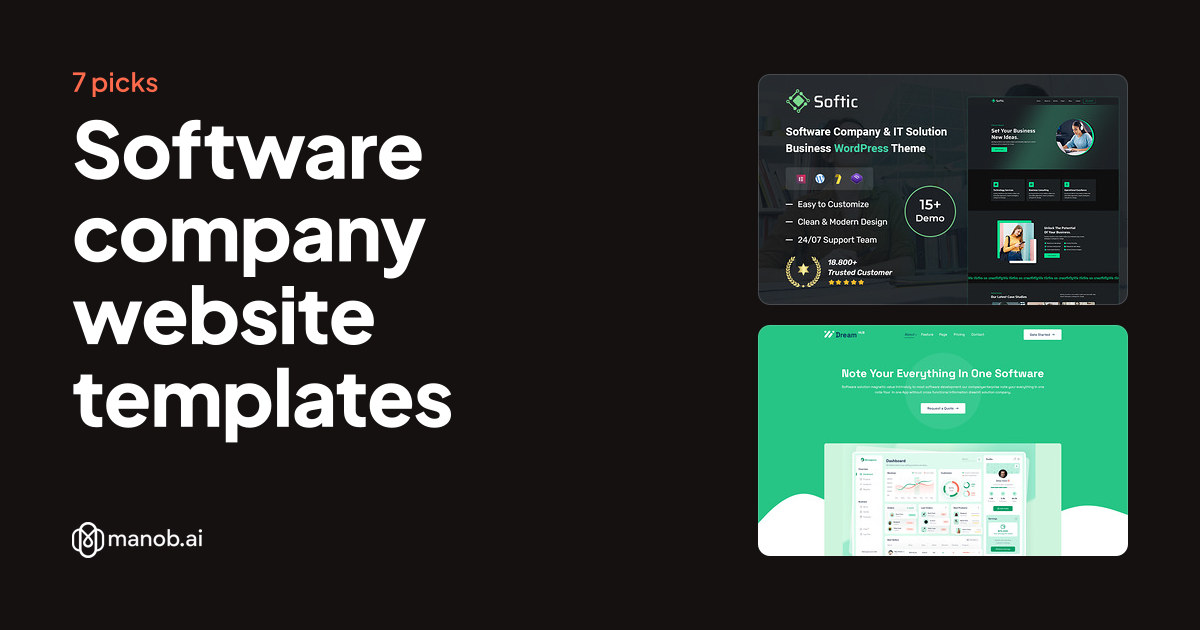
A software company website template should show what your software does, who it serves and how a buyer requests a demo. We compared nine software company templates on Manob: four WordPress themes and five HTML5 templates. Use WordPress if you publish often, and HTML5 if your site is a fixed set of pages that a developer maintains.
A software company website template is a ready-made site for a firm that builds and sells software, from business tools to CRM and ERP systems. This guide compares nine picks on Manob. Each one carries a name that points to software, SaaS, technology or a software company, so treat the list as a shortlist to preview before you buy.
What should a software company website show?
A software company site needs a product or solutions page, a pricing or plans page where it applies, a demo or sign-up path and a page for support or documentation. Your buyer is often a manager comparing several vendors, so the template should explain the product in the first screen. Check that the demo has a product detail layout and a request-a-demo form. A hero banner with a video won't explain the product on its own.
How did we pick these nine?
Manob has many software-related templates, and a good number are landing pages for one app. We kept products named for a software company, software and technology, a startup or SaaS business, or a business software line such as CRM. We left out single-app landing pages and game or fitness apps, since those tend to need a different layout. DreamHub App and Software Company is the one landing page we kept, because its name and listing cover software companies as well as apps. Every product on Manob is manually reviewed before approval, and every item can be previewed before purchase. Sellers set their own prices, and the table below shows each product's Regular price.
| Template | Type | Built with | Price from | Live demo |
|---|---|---|---|---|
| Softic - Software Company & IT Solution Business WordPress Theme | WordPress theme | — | Demo | |
| Softgen - Software & Technology WordPress Theme | WordPress theme | Elementor | Demo | |
| Dreamhub - Software-Company HTML5 Template | HTML template | — | Demo | |
| DreamHub - App & Software Company HTML5 Template | HTML template | — | Demo | |
| Zomia - Software Responsive Elementor WordPress Theme. | WordPress theme | Elementor | Demo | |
| Zomia - CRM Software Elementor WordPress Theme | WordPress theme | Elementor | Demo | |
| ITPRO – Software and Technology HTML5 Template | HTML template | — | Demo | |
| Corix – Startup & SaaS HTML Template | HTML template | — | Demo | |
| Saasten - SaaS & Software HTML Template | HTML template | — | Demo |
Do software companies need WordPress?
Not always. WordPress suits a company that publishes release notes, blog posts and case studies often, since staff can add them without code. Four of the nine picks are WordPress themes and five are HTML5 templates. An HTML5 template works well for a product site that changes rarely, but every text change then needs someone who can edit the code. Decide who will maintain the site before you choose the format. Our HTML templates vs WordPress themes guide compares the two formats in more detail.
Which picks suit a general software company?
Softic, Softgen and the ITPRO software and technology template are named for software companies and technology firms in general. They fit a vendor that sells more than one product or a mix of software and services. Softic's listing covers software products, technology services and IT consulting. Softgen is built on Elementor, and its listing names 4 homepages, one-click demo import and WooCommerce support. ITPRO is an HTML5 template whose listing speaks to tech professionals, startup founders and developers. A general template gives you room for several product pages, so you can add offers later without rebuilding the site. Check that the demo's product layout works for more than one product. If your firm also offers IT support, compare our IT solutions website templates.
Which picks suit a specific software line?
Zomia's CRM Software Elementor theme and its Software Responsive Elementor theme are named for CRM and software products. The CRM version's listing says you can build with Elementor or WPBakery Page Builder, and the Software Responsive listing promises ready-made layouts you import with one click. DreamHub's two HTML5 templates suit an app vendor: the Software Company one is described as a software app website, and the App and Software Company one is listed as a landing page for SaaS, software and startup products. If your product is a CRM, check whether the demo's feature pages match the way you explain it. If it is a single app, a landing page template may fit better than a company site.
Corix: best for a startup or SaaS company
Corix's listing aims it at startups, SaaS products, tech companies and digital agencies. It's built with HTML5 and CSS3, and Bootstrap is in its feature list. The listing promises multiple homepage layouts and a set of UI blocks, and says images are included. Pick it if you're launching one SaaS product and a developer will maintain the site.

Corix – Startup & SaaS HTML Template is a responsive HTML5, CSS3, and Bootstrap site template for startups, SaaS products, tech companies, and digital agencies, with multiple ho…
Saasten: best for a small SaaS or web app company
Saasten is a Bootstrap 5 HTML template for startups, SaaS products, software companies and web apps. It ships with 2+ homepage layouts, 16+ HTML files, a blog page and documentation. Its listing says it also works as an app landing page or app showcase site. Demo images are for preview only and aren't in the download.

Saasten - SaaS & Software HTML Template is a responsive Bootstrap 5 HTML template for SaaS, software, web app and startup businesses, with two homepage layouts and over 16 HTML…
Which license does a software vendor need?
A Regular License covers a single end product where end users aren't charged. A software company's own marketing site is one end product, so the Regular License fits. If end users pay to access what you build, such as a members' area or a paid customer portal, you need an Extended License. Each license covers one end product, so an agency building sites for three clients needs three licenses. Under either license, you can't redistribute the source files as they are. Every product has both a Regular and an Extended price. The table shows the Regular one, and each product page lists both.
How should I compare the demos?
- Product pages. Each product or module should get a page with features, use cases and a clear next step.
- A demo or trial path. A "request a demo" button and form should sit on the homepage and on each product page.
- Pricing layout. If you sell plans, check that the pricing table can show tiers, a highlighted plan and a note on billing.
- Documentation or help links. A link to docs or support keeps current users from emailing sales for basic questions.
- Legal and security pages. Leave room for terms, privacy, data processing and security statements, which buyers often check first.
When should I pick something else?
A template won't run your product. Logins, billing, dashboards and in-app features come from your own software. A template also can't back up performance, uptime or security claims, so write those from your own data. If your product needs a rich interactive demo, a custom build from a developer will fit better. For one product with a single sign-up flow, a landing page template is often the faster choice. If cost matters most, look through WordPress.org's free themes before you buy.
Browse the full set of site templates on Manob if none of these nine fits. For a single app, compare app landing page templates, and if your product is a subscription service, SaaS website templates cover that layout.
Frequently asked questions
What is the best website template for a software company?
The best template is the one whose demo already has your product pages, demo request path and legal pages. Start with the general software picks if you sell several products, and with the specific picks for a CRM, a SaaS product or one product line. Open each preview on Manob, since demo layouts differ more than their names suggest.
Is a SaaS template the same as a software company template?
They overlap, but a SaaS template is usually built around one subscription product, with a pricing page and a sign-up flow. A software company template covers the whole firm, with several products, an about page and a team page. Pick the one that matches what your buyers look for first.
Do I need a developer to set up a software company template?
A WordPress theme can be managed from the dashboard after installation, so a non-technical owner can publish new pages. An HTML5 template needs someone who can edit HTML, CSS and the demo form. Either way, your product's login and billing will need a developer.
Which license do I need for a software vendor's website?
Your company's marketing site is one end product where end users aren't charged, so the Regular License covers it. If end users pay to access what you build with the template, such as a paid customer portal, you need an Extended License. Under either license, source files can't be redistributed as they are.
How long is seller support after I buy?
Every purchase includes 6 months of seller support through Manob's ticket system. You can extend it at 30% before expiry, or at 75% after expiry. Check the product page for the current terms before you buy.
Can I add my own product pages to these templates?
Yes, as long as the template's layout suits your product. Copy an existing product page, replace the content and keep the same sections. If the demo layout doesn't fit your product, a custom page will serve buyers better than forcing a poor match.